Before we write a single flow for a brand, we audit what's actually there. At Tabs Chocolate that meant 2.28 million customer profiles across Klaviyo, OneText, Shopify and GA4, and a plain question: where is the revenue hiding, and what has to be rebuilt first?
This playbook is that audit, in the order we run it. The Tabs, Vita Pharmacies, Royal Canin and Labstory numbers come from programs Oksana ran or led. The how-to steps, examples and templates are our own process, and we say so.
The free PDF has the working pieces: the reachability check, the cohort sheet, the segment map, the flow hierarchy, the push media plan, the measurement rules and a 30-day plan.
Full-stack CRM by dependables.
- Platform setup and migration
- Flows, campaigns and segmentation
- Every email, SMS and push written for you
- Testing and reporting every month
Run by Oksana ›
01 / 07 · REACHABILITY
1. Find out who you can actually reach
At Tabs, 1.2 million of the 2.28 million profiles were unreachable. 42% of those were suppressed for not engaging, 31% had unsubscribed, and the rest were bounces, bots and spam complaints.
That changes everything downstream. Every campaign was competing for a database half the size it looked, so the reports overstated reach and understated what each reachable person was worth.
The fix isn't creative. It's procedural: win back the dormant profiles that still show up on the site, and automatically retire the ones that have been dark for a year.
Do this first. Every other number in this playbook depends on knowing the real size of your list.
How to set it up
- Export profile counts by status: active, suppressed, unsubscribed, bounced, spam complaint.
- Work out your reachable list: everyone you can legally and practically send to today.
- Build a win-back flow triggered by site activity from suppressed profiles.
- Automatically retire profiles with no opens, clicks or visits for 365 days.
- Re-read your last quarter's metrics against the reachable list, not the total.
The mistake that breaks it: Reporting on the total profile count. It flatters the list and hides the real problem.
In the free PDF: Reachability check: the five counts and the formula.Get the PDF ↓
Every send was competing for a database half the size it looked.From the Tabs CRM audit
02 / 07 · RETENTION
2. Make the second purchase the goal
At Tabs, 92% of customers never came back after month one, and barely 1% stayed active past 90 days. The repeat rate had sat near 8.5% for three years.
Lifting that repeat rate to 15% on the same traffic models to roughly $687K in extra revenue, without another dollar of acquisition. That's a model from the audit, not a result, but it shows where the size of the prize is.
For most consumer brands, CRM's biggest job isn't the next campaign. It's getting a first-time buyer to buy a second time.
That means the post-purchase window matters more than the newsletter calendar. Plan it like a launch.
How to set it up
- Build monthly cohorts: of the people who first bought in month X, how many bought again, and when?
- Find your repeat rate and the typical gap between first and second order.
- Put the strongest flow you have in that gap: usage tips, a reason to come back, then an offer.
- Model what a few points of repeat rate are worth on your current traffic.
- Make repeat rate the CRM headline metric, ahead of open rate.
The mistake that breaks it: Treating every customer as a subscriber to be mailed. A first-time buyer and a fifth-time buyer need different messages.
In the free PDF: Cohort sheet and the repeat-rate model.Get the PDF ↓
03 / 07 · SEGMENTATION
3. Segment on what people actually do
Tabs had inherited 180, 90 and 30-day windows that matched nobody's real behaviour. Purchase frequency there was effectively binary: bought once, or bought again.
When frequency is binary, standard RFM scoring (recency, frequency, monetary value) produces no gradient. Everyone scores the same on the F, so the segments mean nothing.
The proposal was logarithmic RFM to find the natural breaks in the data, then rebuilding segments on recency, monetary value and registration date.
At Vita, push segments were split by engagement and then by what each person actually buys. People only got messages plausibly relevant to them, which is what kept click rates and orders up.
How to set it up
- Plot real purchase gaps before choosing any time window.
- If most people buy once, score on recency, spend and signup date instead of frequency.
- Add a category or interest layer from what each person has bought or browsed.
- Name every segment in plain words both marketing and engineering understand.
- Retire segments nobody has sent to in 90 days.
The mistake that breaks it: Copying segment windows from a template. Your customers' rhythm decides the windows, not a best-practice blog.
In the free PDF: Segment map template.Get the PDF ↓
Get the full playbook, with every template
Everything on this page, plus the working pieces you can copy straight into your program:
- Reachability check
- Cohort sheet + repeat-rate model
- Segment map
- Flow hierarchy
- Push media plan
- Measurement rules
- Quiz / game brief
- 30-day plan
We'll email you about CRM now and then. Unsubscribe any time.
04 / 07 · FLOWS
4. Give your flows a pecking order
At Tabs there was no hierarchy between flows. A new subscriber returning to the site triggered the welcome series and abandoned cart at the same time, doubling the inbox and driving unsubscribes.
The result showed up in the numbers: abandoned-action flows should carry close to half of channel revenue, and there they earned about as little as post-purchase.
Every brand has the same flows. What separates the good programs is the rules between them: which one wins when two fire, and who's quiet when.
Write the rules down once, then build every flow to obey them.
How to set it up
- List every automated flow and what triggers it.
- Rank them: purchase intent first (abandoned checkout, cart, browse), then welcome, then everything else.
- When a higher flow fires, pause or exit the lower ones for that person.
- Set a daily cap across all flows and campaigns per person.
- Check each flow's share of channel revenue every month.
The mistake that breaks it: Building flows one at a time and never testing them together. Each one looks fine alone and they collide in the inbox.
In the free PDF: Flow hierarchy sheet.Get the PDF ↓
05 / 07 · NEW CHANNEL
5. Add the channel that fits the cadence
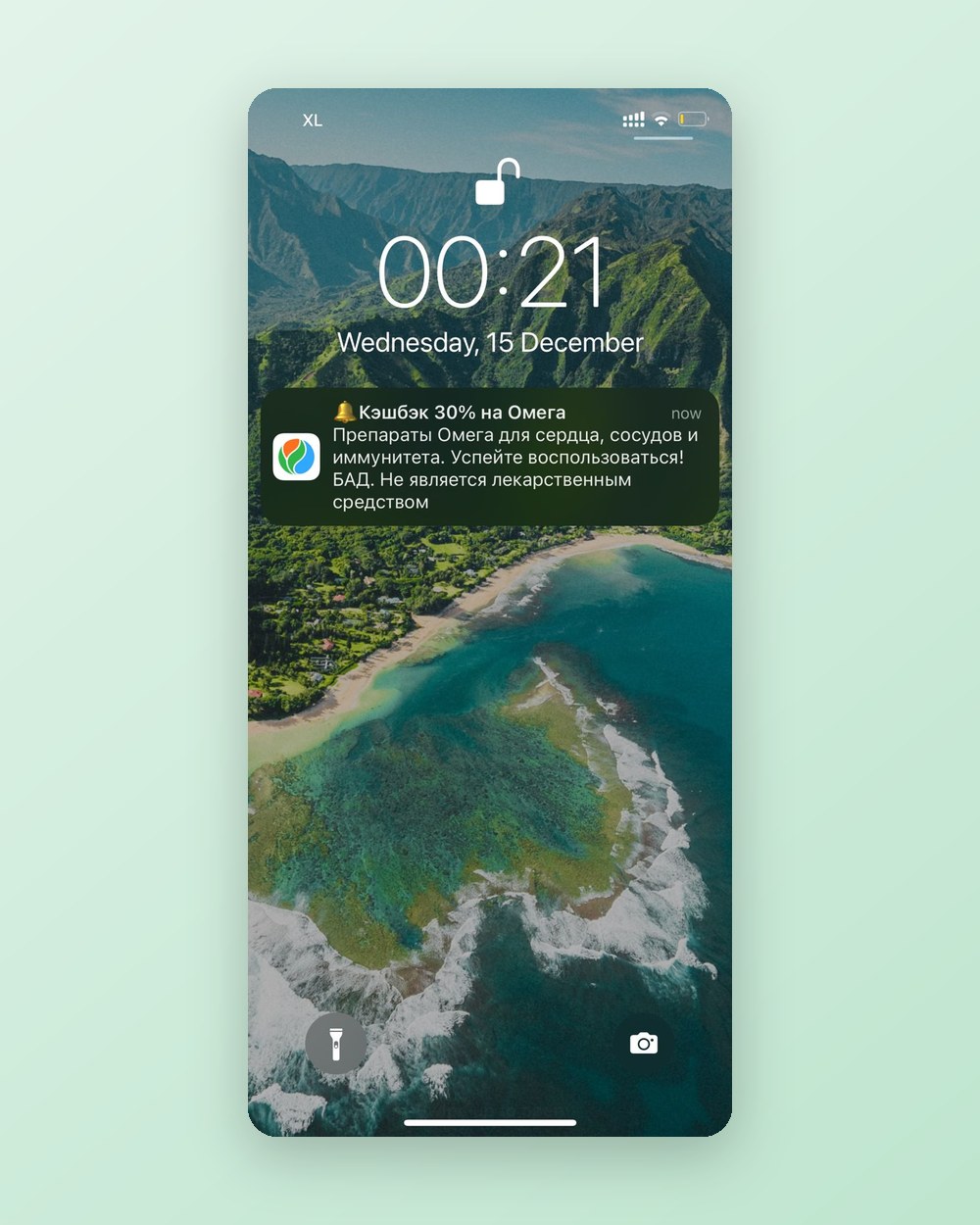
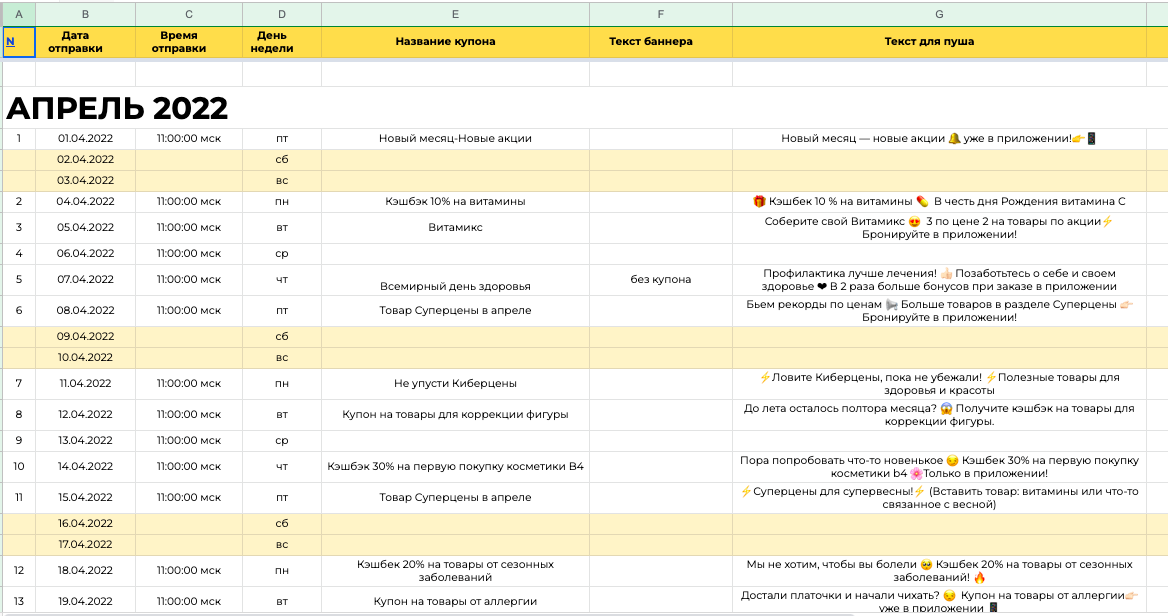
Vita Pharmacies, a top-3 Russian pharmacy chain with 1,800 pharmacies, had a new app and a new discount coupon every day, and no cheap way to tell people about it. SMS cost too much per send; daily email would have read as spam.
Launching mobile push, properly segmented, media-planned and throttled, tripled CRM revenue. Push now carries 80–90% of it.
Push ran on its own media plan: the offer, the segment, the line, the send. The first test push spiked traffic hard enough to nearly take the app down, so sends were capped at 350K an hour.
Two tests shaped it. Monday beat Wednesday and Friday as a send day. And situational messages (seasonal, useful) converted to orders at the same 10.2% as promotional ones, with 17.4% vs 19.4% clicks, so the plan mixes both.
How to set it up
- Match each channel to what it's good at: push for fast single lines, email for selections, SMS for urgent and high-value.
- Give the new channel its own media plan instead of copying email's calendar.
- Segment by engagement and category before the first send.
- Throttle sends so your app or site survives everyone tapping at once.
- Test send day and message type early, and keep what wins.
The mistake that breaks it: Treating a new channel as a send button for the same message. Each channel needs its own plan, segments and voice.
In the free PDF: Push media plan template.Get the PDF ↓
06 / 07 · MEASUREMENT
6. Measure what CRM actually adds
At Tabs, subscribers beat non-subscribers on retention, conversion, order value and lifetime value. That says they were the more loyal customers to begin with, not that email caused it.
Channel impact has to be read as incremental revenue, contribution margin and month-on-month growth, not as a comparison between two groups that were different before you sent anything.
The same audit found SMS outperforming email: a better unsubscribe ratio, a higher share of purchasers and roughly double the return. That wasn't a licence to send more SMS. The SMS list was simply cleaner, and the two channels weren't coordinated.
So the immediate rule was simple: no duplicate message to the same person on the same day across channels, and quiet hours for dormant segments.
How to set it up
- Keep a small holdout group for your biggest flows and compare revenue per person.
- Report contribution margin, not just attributed revenue.
- Coordinate channels: one message per person per day across email, SMS and push.
- Add quiet hours for dormant segments.
- Leave the client team dashboards they can read without you.
The mistake that breaks it: Taking platform-attributed revenue at face value. It credits the channel for purchases that would have happened anyway.
In the free PDF: Measurement rules and the holdout setup.Get the PDF ↓
07 / 07 · REACTIVATION
7. Use games and quizzes to wake people up
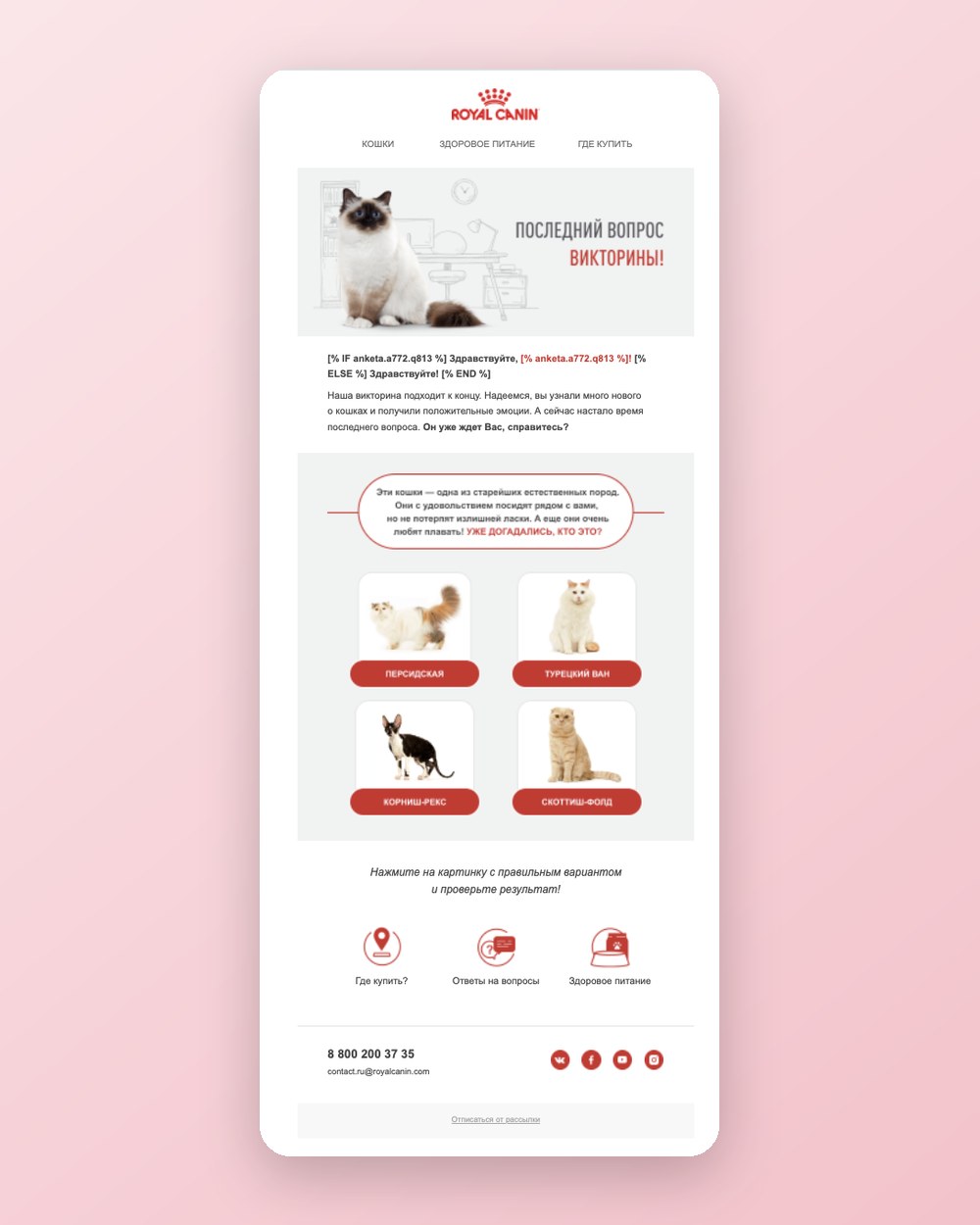
Royal Canin used a five-question breed quiz across email, with answer landing pages, to reactivate a lapsed base. The forecast was 2% conversion. It delivered 4%.
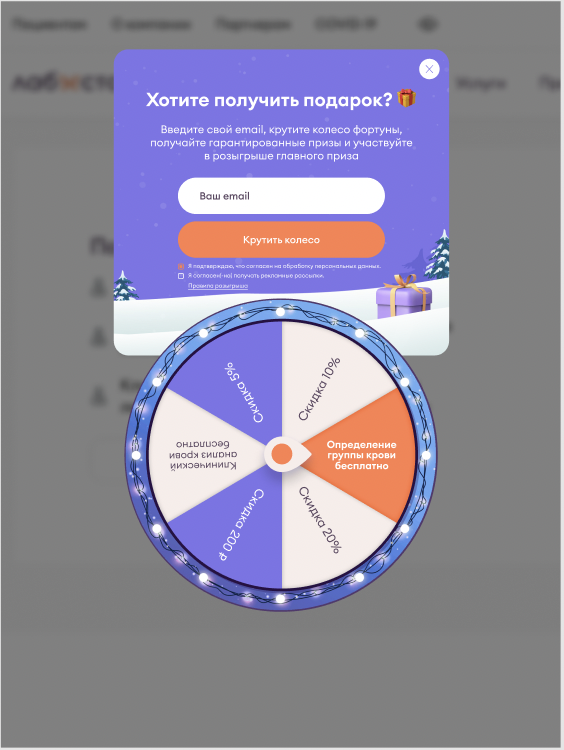
Labstory put a Wheel of Fortune email-capture game on its site. Built, tested and shipped in ten days, it hit 125% of its goal on new leads.
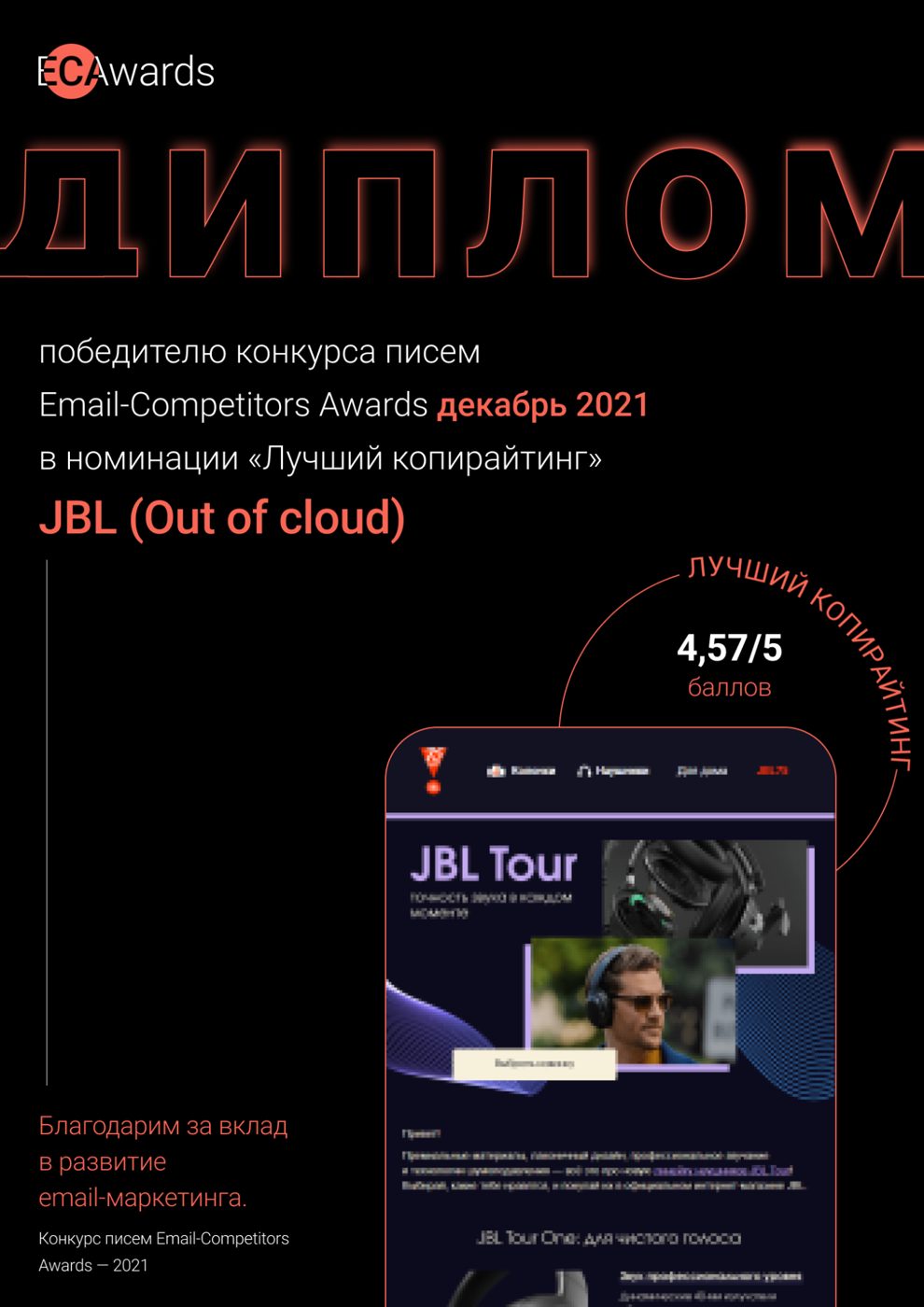
The same idea runs bigger: JBL's 'JBL in the City' hidden-object game and a months-long code-word hunt for its 75th anniversary, with an account page and partner rewards. The JBL email programme won ECA Awards for best copywriting and best creative.
Games work because they ask for a small action with an instant reward. That's an easier yes than another offer.
How to set it up
- Pick one audience: new visitors (capture) or lapsed customers (reactivation).
- Design a 30-second mechanic: a quiz, a wheel, a short game.
- Make the reward personal: a plan, a match or a prize, not just a code.
- Wire every answer into a segment and a follow-up flow.
- Ship a simple version in two weeks, then improve it from the data.
The mistake that breaks it: Building a beautiful game with no flow behind it. The capture is only worth what the follow-up does with it.
In the free PDF: Quiz and game brief template.Get the PDF ↓
THE HONEST PART
Your first 30 days, if you run the audit yourself
Here's how we'd sequence it. It's our plan, not any client's timeline.
If you have someone who owns the data, the flows and the creative every week, run the playbook. If you don't, that's the job we do: Full-stack CRM puts one team on all of it.
Get the full playbook, with every template
Everything on this page, plus the working pieces you can copy straight into your program:
- Reachability check
- Cohort sheet + repeat-rate model
- Segment map
- Flow hierarchy
- Push media plan
- Measurement rules
- Quiz / game brief
- 30-day plan
We'll email you about CRM now and then. Unsubscribe any time.
Questions
Which platforms does this work on?
Any of them. The audit is the same on Klaviyo, Mailchimp, Braze, Attentive, Iterable or Omnisend: the counts, cohorts and flow rules don't depend on the tool.
Is the $687K a result?
No. It's a model from the Tabs audit: what lifting repeat rate from 8.5% to 15% would be worth on the same traffic.
Do I need push?
Only if you have an app or a cadence email and SMS can't carry. At Vita it was the right channel because of a daily offer and an app where people ordered.
What's in the PDF?
The reachability check, cohort sheet and repeat-rate model, segment map, flow hierarchy, push media plan, measurement rules, quiz brief and the 30-day plan.
Can you run the audit for us?
Yes. We do a free 48-hour CRM audit with view-only access and send a written plan you keep. Ask for it on the CRM page.
Can you run the whole thing?
Yes. That's Full-stack CRM: setup and migration, flows, segmentation, every email, SMS and push, and monthly testing and reporting.
Tabs, Vita, Royal Canin, Labstory and JBL numbers come from programs Oksana ran or led, at Out of Cloud (2020–2024) and on contract with Tabs (2025–2026). The Tabs $687K is a model, not a result. The how-to steps, examples and templates are dependables' own playbook.
Sources